Master Class: Build an AI Video Factory — Produce 20+ Videos Per Day
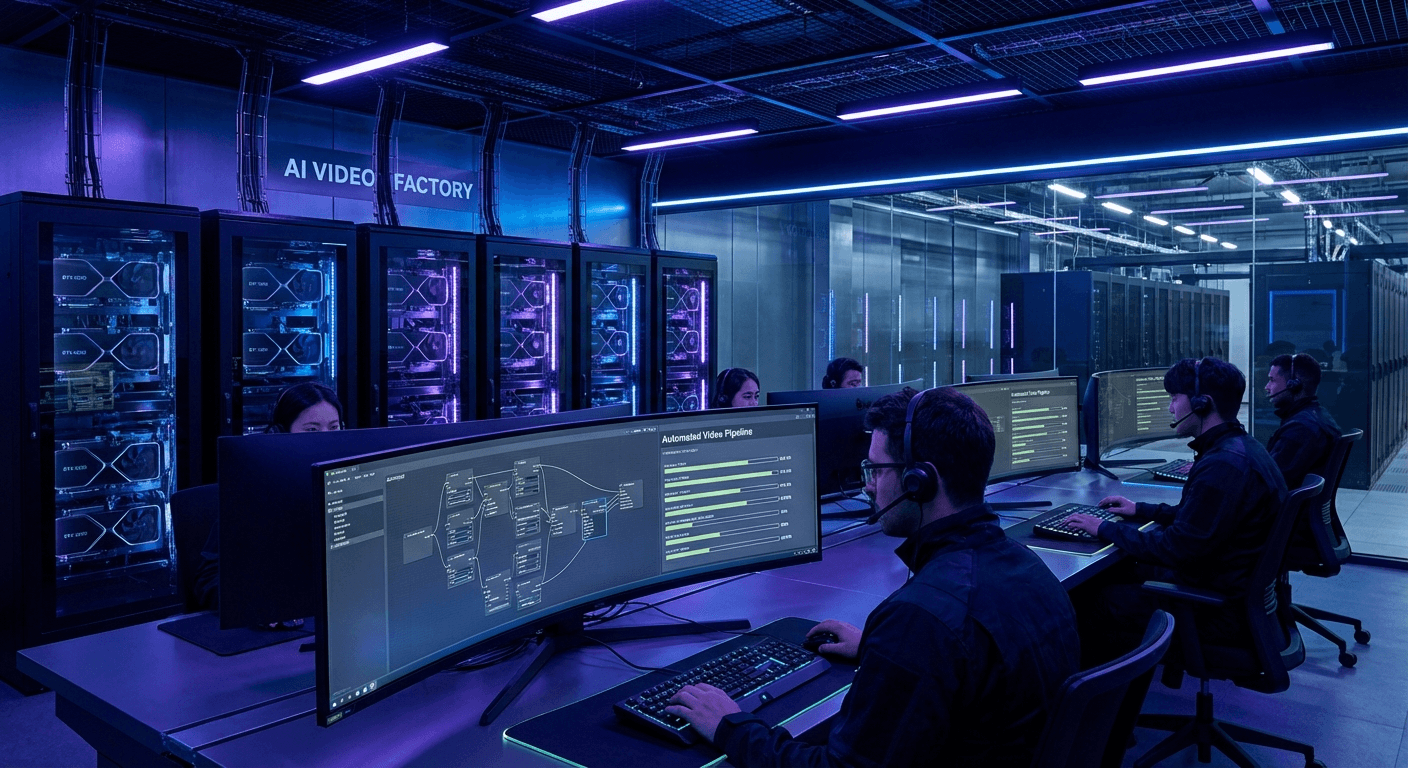
Imagine a factory running 24/7 without rest, automatically producing dozens of high-quality videos every day. That's exactly what an AI Video Factory delivers — a fully automated pipeline combining the power of RTX 3090/4090, ComfyUI, Ollama, and n8n.
In this masterclass, you'll learn:
- How to configure an RTX 3090/4090 workstation for video generation
- How to build a pipeline with Ollama + ComfyUI + n8n
- How to apply TeaCache to speed up rendering by 2-3x
- How to deploy Hybrid Rendering to maximize throughput
- How to hit 20+ videos/day at minimal cost
Part 1: Hardware — RTX 3090 vs RTX 4090
Spec Comparison
| Spec | RTX 3090 | RTX 4090 |
|---|
| VRAM | 24GB GDDR6X | 24GB GDDR6X |
| CUDA Cores | 10,496 | 16,384 |
| Tensor Cores | 3rd Gen | 4th Gen |
| TDP | 350W | 450W |
| Market price | ~$800–1,000 | ~$1,600–2,000 |
| Video render speed | ~4–6 fps | ~8–12 fps |
When to choose the RTX 3090:
- Budget-constrained but needing 24GB VRAM
- Running Wan 2.1 14B or FLUX at 720p resolution
- When combined with Hybrid Rendering (see Part 4)
When to upgrade to RTX 4090:
- Need stable 1080p+ rendering
- Running ComfyUI + Ollama LLM simultaneously
- Targeting 20+ videos/day without Hybrid Rendering
Recommended Workstation Builds
RTX 3090 Build (Budget: ~$2,500)
CPU: AMD Ryzen 9 7950X (16 cores)
GPU: ASUS ROG Strix RTX 3090 24GB
RAM: 64GB DDR5 5600MHz
NVMe: 2TB Samsung 990 Pro (OS + Models)
NVMe: 4TB WD Black SN850X (Output storage)
PSU: Corsair HX1000i 1000W
RTX 4090 Build (Budget: ~$4,000)
CPU: Intel Core i9-13900K or AMD Ryzen 9 7950X
GPU: ASUS ROG Strix RTX 4090 24GB
RAM: 64GB DDR5 6000MHz
NVMe: 2TB Samsung 990 Pro (OS + Models)
NVMe: 4TB + 4TB RAID 0 (Output pipeline)
PSU: be quiet! Dark Power 13 1000W
Driver and Power Limit Optimization
sudo apt install nvidia-cuda-toolkit
nvidia-smi
sudo nvidia-smi -pl 350
sudo nvidia-smi -pl 450
sudo nvidia-smi -pm 1
Part 2: Tech Stack — Ollama + ComfyUI + n8n
Architecture Overview
[n8n Workflow Engine]
         ↓
[Ollama LLM — Script Generation]
         ↓
[ComfyUI — Video/Image Generation]
         ↓
[FFmpeg — Post-processing]
         ↓
[Output Storage / CDN]
2.1 Setting Up Ollama
Ollama handles script generation and prompt engineering — automatically creating scripts and prompts for each video. For a deeper look at choosing the right model for your stack, see Self-Hosted LLMs 2025: DeepSeek vs Llama vs Qwen.
curl -fsSL https://ollama.ai/install.sh | sh
ollama pull llama3.3:70b
ollama pull qwen2.5:14b
ollama pull mistral-nemo:12b
curl http://localhost:11434/api/generate -d '{
"model": "qwen2.5:14b",
"prompt": "Write a 60-second video script about AI automation",
"stream": false
}'
GPU offload configuration:
export OLLAMA_NUM_GPU=1
export OLLAMA_GPU_LAYERS=35
export OLLAMA_MAX_LOADED_MODELS=2
For fine-tuning and enterprise deployment of Llama models for script generation, see Llama 3.3 70B Enterprise Deployment Guide.
2.2 Setting Up ComfyUI
ComfyUI is the main engine for generating video frames and processing the visual pipeline.
git clone https://github.com/comfyanonymous/ComfyUI
cd ComfyUI
python -m venv venv
source venv/bin/activate
pip install torch torchvision torchaudio --index-url https://download.pytorch.org/whl/cu121
pip install -r requirements.txt
cd custom_nodes
git clone https://github.com/ltdrdata/ComfyUI-Manager
python main.py --listen 0.0.0.0 --port 8188 --api-only
Required models:
- Wan 2.1 14B — Best Text-to-Video model in 2025 →
models/wan/
- FLUX.1 — High-quality image generation →
models/checkpoints/
- AnimateDiff — Animation →
models/animatediff_models/
2.3 Setting Up n8n (Workflow Orchestration)
n8n is the orchestration hub — connecting all components and automating the entire pipeline.
docker run -it --rm \
--name n8n \
-p 5678:5678 \
-v ~/.n8n:/home/node/.n8n \
n8nio/n8n
npm install -g n8n pm2
pm2 start n8n --name "n8n-video-factory"
pm2 startup && pm2 save
n8n Workflow Structure:
Trigger (Schedule/Webhook)
    ↓
HTTP Request → Ollama (Generate Script)
    ↓
Function Node (Parse Script → Scenes)
    ↓
Loop (Each scene):
    ↓
HTTP Request → Ollama (Generate Image Prompt)
    ↓
HTTP Request → ComfyUI API (Generate Video Clip)
    ↓
Wait for Completion (Polling)
    ↓
HTTP Request → FFmpeg API (Merge Clips)
    ↓
Upload to Storage → Notification
Part 3: TeaCache — 2-3x Render Speedup
TeaCache (Timestep Embedding Aware Cache) is one of the biggest breakthroughs in video generation in 2025. Instead of computing full attention at every timestep, TeaCache caches feature maps that don't change significantly between denoising steps — dramatically reducing render time with minimal quality loss.
Installing TeaCache for ComfyUI
cd ComfyUI/custom_nodes
git clone https://github.com/wellesleyfilms/ComfyUI-TeaCache
pip install -r ComfyUI-TeaCache/requirements.txt
TeaCache Node Configuration
{
  "TeaCache": {
    "rel_l1_thresh": 0.15,
    "cache_device": "cuda",
    "enable_teacache": true,
    "coefficients": "wan_video"
  }
}
Real-World Benchmarks
RTX 3090 — Wan 2.1 14B (480p, 81 frames):
| Mode | Render time | Speedup |
|---|
| Baseline (no TeaCache) | 4m 20s | 1x |
| TeaCache thresh=0.10 | 2m 45s | 1.58x |
| TeaCache thresh=0.15 | 2m 10s | 2.00x |
| TeaCache thresh=0.20 | 1m 50s | 2.36x |
RTX 4090 — Wan 2.1 14B (720p, 81 frames):
| Mode | Render time | Speedup |
|---|
| Baseline | 3m 15s | 1x |
| TeaCache thresh=0.15 | 1m 22s | 2.38x |
| TeaCache thresh=0.20 | 1m 08s | 2.87x |
Note: thresh=0.15 is the best balance between speed and quality. Going above 0.20 may introduce artifacts in complex motion sequences.
Integrating TeaCache into n8n
const payload = {
"prompt": {
"1": {
"class_type": "WanVideoSampler",
"inputs": {
"model": ["2", 0],
"steps": 20,
"cfg": 6.0,
"use_teacache": true,
"teacache_thresh": 0.15
}
}
}
};
return [{ json: payload }];
Part 4: Hybrid Rendering — Maximizing Throughput
Hybrid Rendering is the strategy of combining GPU and CPU to run tasks in parallel, maximizing utilization of the entire system.
Hybrid Rendering Architecture
┌─────────────────────────────────────────┐
│              n8n Orchestrator           │
└──────────┬──────────────┬──────────────┘
           │              │
    ┌──────▼──────┐ ┌─────▼──────┐
    │  GPU Queue  │ │  CPU Queue │
    │  (ComfyUI)  │ │  (FFmpeg)  │
    └──────┬──────┘ └─────┬──────┘
           │              │
    ┌──────▼──────────────▼──────┐
    │      Output Merger         │
    │   (Final Video Assembly)   │
    └────────────────────────────┘
Task Division
GPU (RTX 3090/4090) handles:
- Text-to-Video generation (ComfyUI + Wan 2.1)
- Image generation (FLUX.1)
- Upscaling (Real-ESRGAN)
CPU (Ryzen 9 7950X / i9-13900K) handles:
- Audio generation (TTS, background music)
- Video merging & encoding (FFmpeg)
- Subtitle rendering
- Thumbnail creation
Python Queue Manager
import asyncio
import aiohttp
from concurrent.futures import ThreadPoolExecutor
class VideoFactoryQueue:
def __init__(self, gpu_workers=1, cpu_workers=8):
self.gpu_queue = asyncio.Queue()
self.cpu_queue = asyncio.Queue()
self.executor = ThreadPoolExecutor(max_workers=cpu_workers)
async def gpu_worker(self):
while True:
job = await self.gpu_queue.get()
result = await self.generate_video_comfyui(job)
await self.cpu_queue.put(result)
self.gpu_queue.task_done()
async def cpu_worker(self):
while True:
result = await self.cpu_queue.get()
await asyncio.get_event_loop().run_in_executor(
self.executor,
self.process_with_ffmpeg,
result
)
self.cpu_queue.task_done()
async def generate_video_comfyui(self, job):
async with aiohttp.ClientSession() as session:
async with session.post(
,
json={: job[]}
) response:
response.json()
():
subprocess
cmd = [
, ,
, , , ,
, clips[],
, , , ,
, ,
clips[]
]
subprocess.run(cmd, check=)
Real-World Throughput
RTX 3090 + Hybrid Rendering:
| Video type | Time/video | Videos/day |
|---|
| 30s, 480p, Wan 2.1 | ~5 min | ~288 videos |
| 60s, 480p, Wan 2.1 | ~10 min | ~144 videos |
| 60s, 720p, Wan 2.1 | ~18 min | ~80 videos |
| 3 min, 1080p mix | ~45 min | ~32 videos |
RTX 4090 + TeaCache + Hybrid Rendering:
| Video type | Time/video | Videos/day |
|---|
| 30s, 720p, Wan 2.1 | ~3 min | ~480 videos |
| 60s, 720p, Wan 2.1 | ~6 min | ~240 videos |
| 60s, 1080p, Wan 2.1 | ~12 min | ~120 videos |
| 3 min, 1080p mix | ~25 min | ~57 videos |
Part 5: The Complete Pipeline — From Idea to Video
const topics = items[0].json.topics;
return topics.map(topic => ({
json: {
topic,
style: "educational",
duration: 60,
resolution: "720p",
language: "en"
}
}));
Step 2: Script Generation (Ollama)
const prompt = `Write a 60-second video script about "${$json.topic}".
Return JSON with fields: title, hook, scenes (array), cta.
Each scene: duration (seconds), visual_description, narration`;

const response = await $http.post("http://localhost:11434/api/generate", {
  model: "qwen2.5:14b",
  prompt: prompt,
  format: "json",
  stream: false
});
For optimizing Qwen 2.5 for script generation tasks, see Qwen 2.5: Building AI Agent Workflows.
Step 3: Visual Generation (ComfyUI)
const scenes = $json.script.scenes;
const workflows = scenes.map(scene =>
buildWanVideoWorkflow({
prompt: scene.visual_description,
duration: scene.duration,
resolution: "720x1280",
steps: 20,
teacache: true
})
);
Step 4: Post-Processing (FFmpeg)
ffmpeg -y \
  -f concat -safe 0 -i clips_list.txt \
  -i audio_narration.mp3 \
  -i background_music.mp3 \
  -filter_complex "[1:a][2:a]amix=inputs=2:weights=3 1[aout]" \
  -map 0:v -map "[aout]" \
  -c:v libx264 -crf 18 -preset fast \
  -c:a aac -b:a 192k \
  -movflags +faststart \
  output_video.mp4
Step 5: Distribution (n8n)
const platforms = [
{ name: "YouTube", api: ytUploadNode },
{ name: "TikTok", api: tiktokUploadNode },
{ name: "Instagram Reels", api: igUploadNode }
];
await Promise.all(platforms.map(p => p.api.upload(videoPath)));
Part 6: Monitoring and Cost Optimization
watch -n 1 nvidia-smi
tail -f ComfyUI/comfyui.log
Daily checklist:
Conclusion
With a properly built AI Video Factory:
- RTX 3090 → 80–144 videos/day at 720p quality
- RTX 4090 + TeaCache + Hybrid Rendering → 120–240 videos/day
The keys to success:
- TeaCache cuts render time by 2-3x with negligible quality loss
- Hybrid Rendering leverages CPU for post-processing in parallel with GPU
- n8n acts as an intelligent orchestration hub with automatic retry on failure
- Ollama + Qwen 2.5 generates high-quality scripts and prompts
This is the foundation for building a content operation that can truly scale — from 20 to hundreds of videos per day.