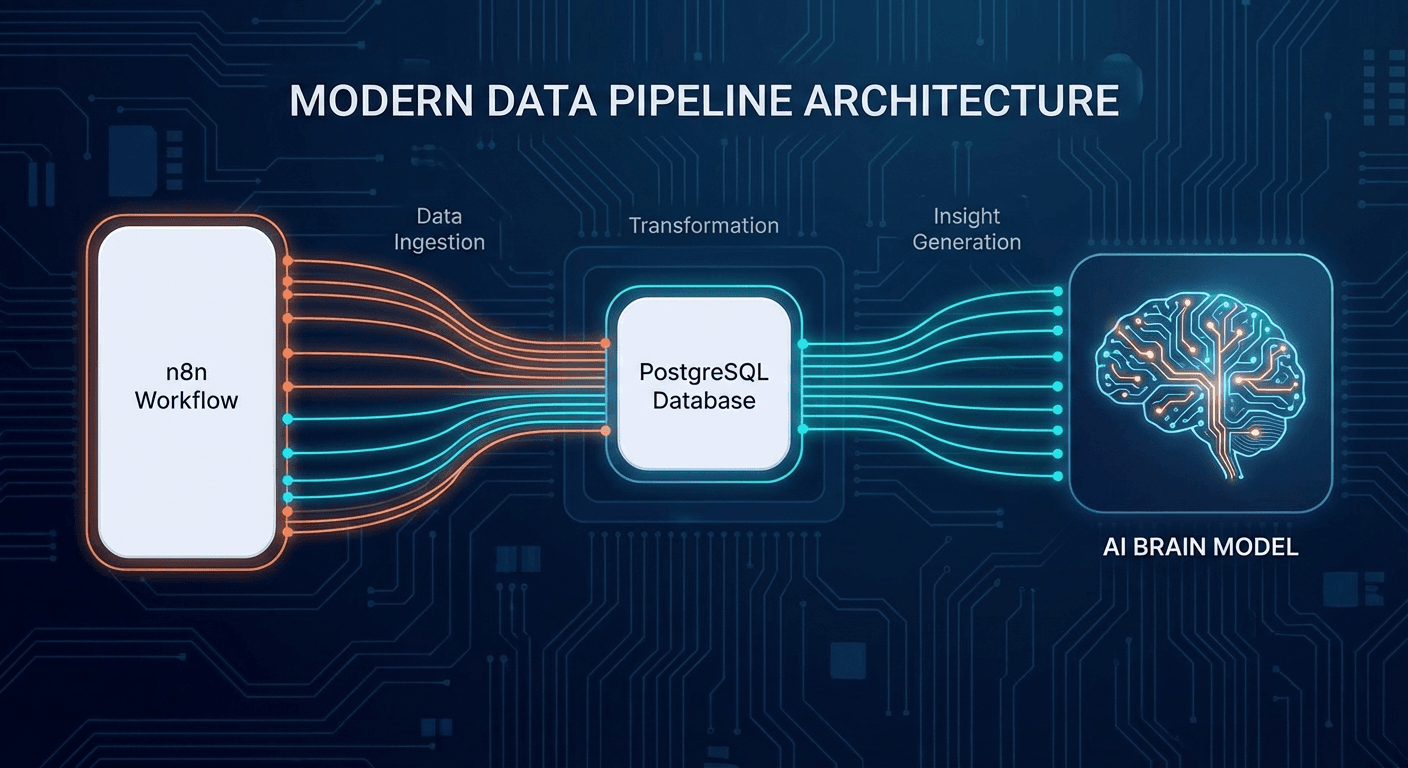
Why PostgreSQL Is a Better Data Center Than You Think
When people talk about data pipelines, they think of Kafka, Spark, Snowflake, or Redshift. PostgreSQL is usually dismissed as "just for web apps." That's a mistake.
Modern PostgreSQL (v14+) can handle:
- JSONB — schemaless ingestion with efficient indexing
- Partitioning — automatic table partitioning by time
- Logical Replication — native CDC (Change Data Capture)
- Window Functions and CTEs — complex transformations in pure SQL
- LISTEN/NOTIFY — lightweight event streaming
- pg_partman + TimescaleDB — optimized time-series
For data under 1TB and under 100K events/second, PostgreSQL is the most cost-effective and operationally simple choice available.
ETL vs ELT: Choosing the Right Pattern for PostgreSQL
Two fundamentally different data pipeline models:
ETL (Extract → Transform → Load)
- Extract from source (API, file, DB)
- Transform in memory (Python/Pandas)
- Load cleaned data to destination
ELT (Extract → Load → Transform)
- Extract from source
- Load raw into staging table in PostgreSQL
- Transform using SQL (CTEs, views, dbt)
When to Use ETL vs ELT with PostgreSQL?
| Criterion | ETL (Python-first) | ELT (SQL-first) |
|---|
| Data size | Small (under 100MB/batch) | Large (GB+) |
| Complex transformations | Custom Python logic | SQL expressions |
| Team skill set | Python engineers | SQL/analytics engineers |
| Debugging | Easier (Python debugger) | Harder (SQL traces) |
| Performance | Memory bottleneck | Push computation to DB |
| Popular tools | Pandas, Polars | dbt, SQLMesh |
Practical recommendation: Use ELT for analytical workloads — PostgreSQL handles JOINs and aggregations better than Pandas for large datasets. Use ETL for transformations requiring complex business logic that SQL can't easily express.
Complete Pipeline Architecture
┌─────────────────────────────────────────────────────────┐
│                    DATA SOURCES                         │
│  REST APIs  │  Webhooks  │  CSV/Parquet  │  DB replicas │
└──────┬──────┴─────┬──────┴───────┬───────┴──────┬───────┘
       │            │              │               │
       ▼            ▼              ▼               ▼
┌─────────────────────────────────────────────────────────┐
│              INGESTION LAYER (Python)                   │
│     httpx async  │  asyncpg  │  pandas/polars           │
└─────────────────────────┬───────────────────────────────┘
                          │
                          ▼
┌─────────────────────────────────────────────────────────┐
│           POSTGRESQL STAGING TABLES                     │
│    raw_events (JSONB)  │  raw_files  │  raw_api_data    │
│              PARTITION BY RANGE (created_at)            │
└─────────────────────────┬───────────────────────────────┘
                          │  SQL transforms / dbt
                          ▼
┌─────────────────────────────────────────────────────────┐
│            TRANSFORMED / ANALYTICS TABLES               │
│  fact_events  │  dim_users  │  agg_daily_metrics        │
│         Materialized Views  │  OLAP partitions          │
└─────────────────────────┬───────────────────────────────┘
                          │
                          ▼
┌─────────────────────────────────────────────────────────┐
│              SERVING LAYER                              │
│   Metabase  │  Grafana  │  Application APIs             │
└─────────────────────────────────────────────────────────┘
Step 1: Schema Design for Analytics Workloads
Staging Table — Raw Ingestion
CREATE TABLE raw_events (
id BIGSERIAL PRIMARY KEY,
source TEXT NOT NULL,
event_type TEXT NOT NULL,
payload JSONB NOT NULL,
received_at TIMESTAMPTZ DEFAULT NOW(),
processed BOOLEAN DEFAULT FALSE,
error_msg TEXT,
batch_id UUID
) PARTITION BY RANGE (received_at);
CREATE TABLE raw_events_2026_02
PARTITION OF raw_events
FOR VALUES FROM ('2026-02-01') TO ('2026-03-01');
CREATE INDEX idx_raw_events_processed ON raw_events (processed, received_at)
WHERE processed = FALSE;
CREATE INDEX idx_raw_events_payload ON raw_events USING GIN (payload);
CREATE TABLE fact_user_events (
id BIGSERIAL,
user_id BIGINT NOT NULL,
event_type TEXT NOT NULL,
event_value NUMERIC(15,4),
metadata JSONB,
event_at TIMESTAMPTZ NOT NULL,
ingested_at TIMESTAMPTZ DEFAULT NOW(),
source_batch_id UUID,
PRIMARY KEY (id, event_at)
) PARTITION BY RANGE (event_at);
CREATE INDEX idx_fact_user_events_user_time
ON fact_user_events (user_id, event_at DESC);
CREATE MATERIALIZED VIEW mv_daily_user_metrics AS
SELECT
user_id,
DATE_TRUNC('day', event_at) AS day,
COUNT(*) AS event_count,
SUM(event_value) AS total_value,
COUNT(DISTINCT event_type) AS unique_event_types
FROM fact_user_events
GROUP BY user_id, DATE_TRUNC('day', event_at);
CREATE UNIQUE INDEX ON mv_daily_user_metrics (user_id, day);
Step 2: Python ETL Stack — Core Libraries
SQLAlchemy 2.0 — Database Abstraction Layer
SQLAlchemy 2.0 has important breaking changes from 1.x. The modern way to write it:
from sqlalchemy import create_engine, text
from sqlalchemy.pool import QueuePool
engine = create_engine(
"postgresql+psycopg2://user:pass@localhost/db",
poolclass=QueuePool,
pool_size=10,
max_overflow=20,
pool_timeout=30,
pool_pre_ping=True,
echo=False,
)
def fetch_unprocessed_events(limit: int = 1000) -> list[dict]:
with engine.connect() as conn:
result = conn.execute(
text("""
SELECT id, source, event_type, payload, received_at
FROM raw_events
WHERE processed = FALSE
ORDER BY received_at ASC
LIMIT :limit
FOR UPDATE SKIP LOCKED -- Critical: avoids race condition with parallel workers
"""),
{"limit": limit}
)
return [dict(row._mapping) for row in result]
import io, csv
def bulk_insert_events(events: list[dict]) -> int:
buffer = io.StringIO()
writer = csv.writer(buffer)
for e in events:
writer.writerow([e['user_id'], e['event_type'], e[], e[]])
buffer.seek()
engine.raw_connection() conn:
conn.cursor() cur:
cur.copy_expert(
,
buffer
)
conn.commit()
(events)
import pandas as pd
import polars as pl
engine = create_engine("postgresql+psycopg2://user:pass@localhost/db")
def load_and_transform_pandas(batch_id: str) -> pd.DataFrame:
df = pd.read_sql(
"""
SELECT
payload->>'user_id' AS user_id,
payload->>'event_type' AS event_type,
(payload->>'value')::numeric AS value,
received_at
FROM raw_events
WHERE batch_id = %(batch_id)s
AND processed = FALSE
""",
engine,
params={"batch_id": batch_id},
parse_dates=["received_at"],
)
df["user_id"] = pd.to_numeric(df["user_id"], errors="coerce")
df = df.dropna(subset=["user_id"])
df["value"] = df["value"].clip(lower=0, upper=1e6)
df["day"] = df["received_at"].dt.floor("D")
return df
def load_and_transform_polars(batch_id: str) -> pl.DataFrame:
import connectorx as cx
df = cx.read_sql(
"postgresql://user:pass@localhost/db",
f"SELECT * FROM raw_events WHERE batch_id = '{batch_id}'",
return_type="polars",
)
return (
df
.with_columns([
pl.col("payload").struct.field("user_id").cast(pl.Int64).alias("user_id"),
pl.col("payload").struct.field("value").cast(pl.Float64).alias(),
])
.(pl.col().is_not_null())
.(pl.col().is_between(, ))
)
() -> :
df.to_sql(table, engine, if_exists=, index=, method=, chunksize=)
Step 3: Concurrency — ThreadPool, AsyncIO, and Workers
Pattern 1: ThreadPoolExecutor for I/O-bound Tasks
import concurrent.futures
import logging
logger = logging.getLogger(__name__)
def process_batch_worker(batch_ids: list[str], transform_fn) -> dict:
"""Process multiple batches in parallel with ThreadPoolExecutor."""
results = {"success": 0, "failed": 0, "errors": []}
with concurrent.futures.ThreadPoolExecutor(max_workers=8) as executor:
future_to_batch = {
executor.submit(transform_fn, batch_id): batch_id
for batch_id in batch_ids
}
for future in concurrent.futures.as_completed(future_to_batch):
batch_id = future_to_batch[future]
try:
count = future.result(timeout=300)
results["success"] += count
logger.info("batch_complete", extra={"batch_id": batch_id, "count": count})
except Exception as exc:
results["failed"] += 1
results["errors"].append({"batch_id": batch_id, "error": str(exc)})
logger.error("batch_failed", extra={"batch_id": batch_id, "error": str(exc)})
return results
Pattern 2: Async with asyncpg for High Concurrency
import asyncio
import asyncpg
from contextlib import asynccontextmanager

pool: asyncpg.Pool = None

async def init_pool():
    global pool
    pool = await asyncpg.create_pool(
        "postgresql://user:pass@localhost/db",
        min_size=5,
        max_size=20,
        command_timeout=60,
    )

@asynccontextmanager
async def get_connection():
    async with pool.acquire() as conn:
        yield conn

async def fetch_events_async(batch_size: int = 500) -> list:
    """Fetch unprocessed events with SELECT FOR UPDATE SKIP LOCKED."""
    async with get_connection() as conn:
        async with conn.transaction():
            return await conn.fetch(
                """
                SELECT id, event_type, payload
                FROM raw_events
                WHERE processed = FALSE
                ORDER BY received_at ASC
                LIMIT $1
                FOR UPDATE SKIP LOCKED
                """,
                batch_size
            )

async def process_events_pipeline(concurrency: int = 10):
    """Async pipeline processing events with concurrency control."""
    semaphore = asyncio.Semaphore(concurrency)

    async def process_single():
          semaphore:
            :
                result =  transform_event(event)
                 mark_processed(event[])
                 result
             Exception  e:
                 mark_failed(event[], (e))


     :
        events =  fetch_events_async(batch_size=)
          events:
             asyncio.sleep()


        tasks = [process_single(e)  e  events]
        results =  asyncio.gather(*tasks, return_exceptions=)
        success = (  r  results   (r, Exception))
        logger.info()
Pattern 3: FOR UPDATE SKIP LOCKED — Avoiding Race Conditions
The most important pattern for running multiple workers:
SELECT id, payload FROM raw_events
WHERE processed = FALSE
LIMIT 100
FOR UPDATE SKIP LOCKED;
SELECT id, payload FROM raw_events
WHERE processed = FALSE
LIMIT 100
FOR UPDATE SKIP LOCKED;
Step 4: Orchestration with Prefect 3
Prefect is a more modern choice than Airflow for small-to-medium pipelines:
from prefect import flow, task
from prefect.tasks import task_input_hash
from datetime import timedelta
import structlog

logger = structlog.get_logger()

@task(
    retries=3,
    retry_delay_seconds=60,
    cache_key_fn=task_input_hash,
    cache_expiration=timedelta(hours=1),
    log_prints=True,
)
def extract_from_api(endpoint: str, since: str) -> list[dict]:
    """Extract data from REST API with automatic retry."""
    import httpx
    with httpx.Client(timeout=30) as client:
        response = client.get(
            endpoint,
            params={"since": since, "limit": 1000},
            headers={"Authorization": "Bearer TOKEN"},
        )
        response.raise_for_status()
        data = response.json()
        logger.info("extracted", endpoint=endpoint, count=len(data["items"]))
        return data["items"]

@task(retries=2)
def load_to_staging(records: list[dict], source: str) -> str:
    """Load raw records into PostgreSQL staging table."""
    import uuid
    from sqlalchemy import create_engine, text

    batch_id = str(uuid.uuid4())
    engine = create_engine()
    rows = [{: source, : r.get(, ), : r, : batch_id}  r  records]

     engine.begin()  conn:
        conn.execute(
            text(),
            rows
        )
    logger.info(, batch_id=batch_id, count=(rows))
     batch_id


 () -> :

     sqlalchemy  create_engine, text

    engine = create_engine()
     engine.begin()  conn:
        result = conn.execute(
            text(),
            {: batch_id}
        )
    count = result.rowcount
    logger.info(, batch_id=batch_id, count=count)
     count


 ():
     sqlalchemy  create_engine, text
    engine = create_engine()
     engine.begin()  conn:
        conn.execute(text())


 ():
    records = extract_from_api.submit(endpoint=, since=date)
    batch_id = load_to_staging.submit(records, source=)
    count = transform_batch.submit(batch_id, wait_for=[batch_id])
    refresh_materialized_views.submit(wait_for=[count])
Airflow vs Prefect — Honest Comparison
| Criterion | Apache Airflow | Prefect 3 |
|---|
| Setup complexity | High (Celery/K8s) | Low (pip install) |
| Code style | Complex DAG definitions | Natural Python functions |
| Dynamic DAGs | Difficult, needs workarounds | Native support |
| Observability | Plugin-based | Built-in UI |
| Self-hosted | Easy on K8s | Much easier |
| Cloud managed | Astronomer, MWAA | Prefect Cloud |
| Best for | Enterprise, 100+ DAGs | Startup, 1-50 flows |
Step 5: Query Optimization for Data Pipelines
EXPLAIN (ANALYZE, BUFFERS, FORMAT JSON)
SELECT
user_id,
COUNT(*) as event_count,
SUM(event_value) as total_value
FROM fact_user_events
WHERE event_at >= '2026-01-01'
AND event_at < '2026-02-01'
AND event_type = 'purchase'
GROUP BY user_id
ORDER BY total_value DESC
LIMIT 100;
What to look for in EXPLAIN output:
- Seq Scan → missing index, or index not being used
- Rows estimate too far off → run
ANALYZE on the table
- Buffers: shared hit vs read → cache hit ratio
- Sort without ORDER BY index → needs an index
Key Index Strategies
CREATE INDEX idx_unprocessed ON raw_events (received_at)
WHERE processed = FALSE;
CREATE INDEX idx_fact_events_user_time
ON fact_user_events (user_id, event_at DESC);
CREATE INDEX idx_payload_gin ON raw_events USING GIN (payload);
CREATE INDEX idx_payload_user_id ON raw_events ((payload->>'user_id'));
CREATE INDEX idx_events_time_brin ON raw_events USING BRIN (received_at);
Materialized Views for Heavy Aggregations
REFRESH MATERIALIZED VIEW CONCURRENTLY mv_daily_user_metrics;
CREATE MATERIALIZED VIEW mv_hourly_stats AS
SELECT
DATE_TRUNC('hour', event_at) AS hour,
event_type,
COUNT(*) AS count,
AVG(event_value) AS avg_value,
PERCENTILE_CONT(0.99) WITHIN GROUP (ORDER BY event_value) AS p99_value
FROM fact_user_events
WHERE event_at >= NOW() - INTERVAL '30 days'
GROUP BY 1, 2;
Connection Pooling — PgBouncer
[databases]
mydb = host=127.0.0.1 port=5432 dbname=mydb
[pgbouncer]
listen_port = 6432
listen_addr = 127.0.0.1
auth_type = scram-sha-256
pool_mode = transaction
max_client_conn = 500
default_pool_size = 25
server_idle_timeout = 600
Important caveats with transaction pooling:
- Don't use
SET statements (lost after transaction ends)
- Don't use regular prepared statements
- Don't use advisory locks through PgBouncer
Step 6: Production Monitoring and Logging
Structured Logging with structlog
import structlog
import time
from functools import wraps

structlog.configure(
    processors=[
        structlog.contextvars.merge_contextvars,
        structlog.processors.TimeStamper(fmt="iso"),
        structlog.stdlib.add_log_level,
        structlog.processors.StackInfoRenderer(),
        structlog.processors.JSONRenderer(),
    ],
    wrapper_class=structlog.stdlib.BoundLogger,
    logger_factory=structlog.stdlib.LoggerFactory(),
)

logger = structlog.get_logger()

def pipeline_step(step_name: str):
    """Decorator that auto-logs timing and errors."""
    def decorator(func):
        @wraps(func)
        def wrapper(*args, **kwargs):
            log = logger.bind(step=step_name)
            start = time.perf_counter()
            try:
                result = func(*args, **kwargs)
                elapsed = time.perf_counter() - start
                log.info("step_complete", duration_ms=round(elapsed * 1000))
                return result
            except Exception as e:
                elapsed = time.perf_counter() - start
                log.error("step_failed", duration_ms=round(elapsed * 1000), error=str(e))
                raise
        return wrapper
    return decorator
Dead Letter Queue — Handling Failed Records
CREATE TABLE dead_letter_queue (
  id              BIGSERIAL PRIMARY KEY,
  source_table    TEXT NOT NULL,
  source_id       BIGINT NOT NULL,
  payload         JSONB NOT NULL,
  error_msg       TEXT NOT NULL,
  attempt_count   INT DEFAULT 1,
  first_failed_at TIMESTAMPTZ DEFAULT NOW(),
  last_failed_at  TIMESTAMPTZ DEFAULT NOW(),
  resolved        BOOLEAN DEFAULT FALSE
);

CREATE INDEX idx_dlq_unresolved ON dead_letter_queue (last_failed_at)
  WHERE resolved = FALSE;
def process_with_dlq(records: list[dict], process_fn, source_table: str):
    """Process records, pushing failures to DLQ instead of crashing the entire batch."""
    successes, failures = [], []

    for record in records:
        try:
            successes.append(process_fn(record))
        except Exception as e:
            failures.append({
                "source_table": source_table,
                "source_id": record["id"],
                "payload": record,
                "error_msg": str(e)[:2000],
            })
            logger.warning("record_to_dlq", source_id=record["id"], error=str(e))

    if failures:
        with engine.begin() as conn:
            conn.execute(
                text("""
                    INSERT INTO dead_letter_queue (source_table, source_id, payload, error_msg)
                    VALUES (:source_table, :source_id, :payload::jsonb, :error_msg)
                    ON CONFLICT (source_table, source_id) DO UPDATE
                    SET attempt_count = dead_letter_queue.attempt_count + 1,
                        last_failed_at = NOW(),
                        error_msg = EXCLUDED.error_msg
                """),
                failures
            )

    logger.info("batch_complete", total=len(records), success=len(successes), failed=len(failures))
    return successes
Pipeline Health Queries
SELECT
substring(query, 1, 80) AS query_short,
calls,
round(total_exec_time::numeric, 2) AS total_ms,
round(mean_exec_time::numeric, 2) AS avg_ms,
rows
FROM pg_stat_statements
ORDER BY total_exec_time DESC
LIMIT 10;
SELECT
sum(heap_blks_read) AS heap_read,
sum(heap_blks_hit) AS heap_hit,
round(sum(heap_blks_hit) * 100.0 / nullif(sum(heap_blks_hit) + sum(heap_blks_read), 0), 2) AS cache_ratio
FROM pg_statio_user_tables;
SELECT
COUNT(*) AS pending_count,
MIN(received_at) AS oldest_pending,
EXTRACT(EPOCH FROM (NOW() - MIN(received_at))) AS lag_seconds
FROM raw_events
WHERE processed = FALSE;
PostgreSQL as Data Center: Pros and Cons
Pros
1. ACID Transactions Across the Entire Pipeline
Every ETL step can be wrapped in a transaction — no partial failures corrupting data. Kafka + Spark don't offer this guarantee easily.
2. SQL Is the Lingua Franca
Analytics engineers, data scientists, and backend engineers all read SQL. No need to learn Spark API or Flink operators.
3. JSONB for Schemaless Ingestion
Accept raw data in any format, store in JSONB, schema-on-read later. No Kafka Schema Registry or Avro needed.
4. Low Cost
Small RDS PostgreSQL: $50-200/month. Snowflake for the same workload: $500-2000/month. Supabase Free tier: $0.
5. Logical Replication = Native CDC
PostgreSQL has built-in Change Data Capture via logical replication — no need for Debezium or Maxwell's Daemon.
Cons
1. Not Columnar Storage
PostgreSQL's row-oriented storage isn't optimized for analytical queries over GB-scale data. Above 100GB active data, DuckDB or ClickHouse are significantly faster.
2. Write Scaling Has Limits
Above 50,000 writes/second across many tables, PostgreSQL starts to struggle. Kafka + Flink or ClickHouse are better at this scale.
3. VACUUM Overhead
UPDATEs and DELETEs create dead tuples needing VACUUM to reclaim. In write-heavy pipelines, autovacuum may not keep up — needs tuning via autovacuum_vacuum_cost_delay.
4. No Native Time-Series Compression
Needs TimescaleDB extension for time-series compression. InfluxDB or QuestDB are better for pure time-series workloads.
When to Use PostgreSQL (and When Not To)
| Scenario | PostgreSQL | Alternative |
|---|
| Under 500GB data, 1-50K events/s | Ideal | — |
| Small team (1-5 engineers) | Ideal | — |
| Need ACID across entire pipeline | Ideal | — |
| Over 1TB data, analytics heavy | Consider alternatives | DuckDB, ClickHouse |
| Over 100K events/second | Not suitable | Kafka + Flink |
| IoT / pure time-series | Extension needed | TimescaleDB, InfluxDB |
| Multi-region distributed writes | Complex | CockroachDB, Spanner |
Production Checklist
Before shipping your pipeline to production:
Schema and Data Quality
Connection Management
Concurrency
Monitoring
Resilience
Conclusion
PostgreSQL + Python isn't the solution to every data engineering problem — but for startup-to-mid-size scale (under 1TB data, under 50K events/second), it's the most pragmatic stack available.
psycopg2/asyncpg for raw performance, SQLAlchemy 2.0 for safe abstraction, Pandas/Polars when you need in-memory transformation, and Prefect for simple but powerful orchestration — this entire stack runs on a $50/month Postgres instance and deploys in a morning.
When data exceeds 1TB or throughput demands Kafka-scale, that's when you add ClickHouse, DuckDB, or Flink. But don't over-engineer from the start — PostgreSQL is far more powerful than most people realize.
Building a data pipeline and want to add AI processing? Read the AI agent builder's guide 2025 to integrate LLMs into your pipeline.