Why Most AI Agents Fail in Production
Building an AI agent that demos well is easy. Building one that works reliably at scale is hard.
The gap between a weekend prototype and a production agent comes down to architecture. Bad tool design, missing memory, no observability — these are the real reasons agents fail. This guide covers what actually works in production in 2026.
What Is an AI Agent, Really?
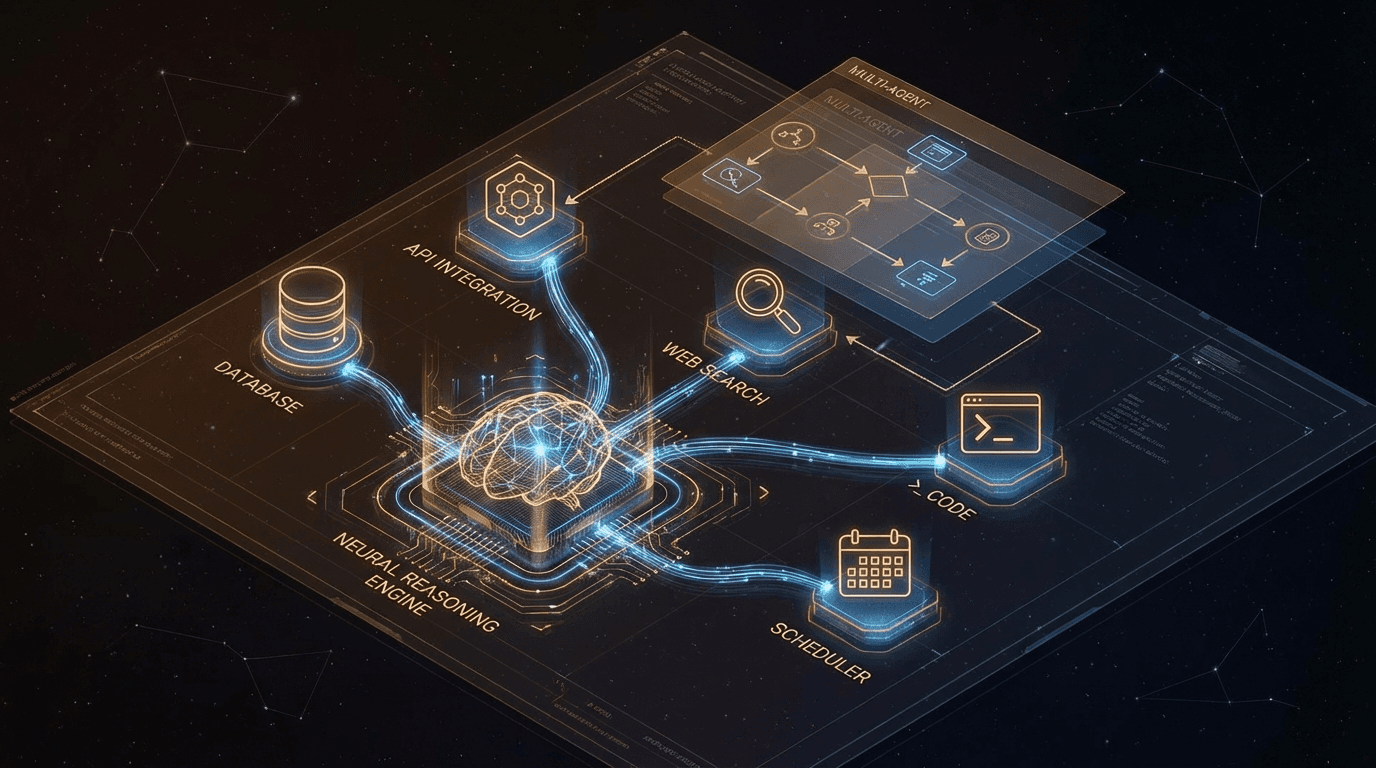
An AI agent is not just a chatbot that can call APIs. The defining characteristic is autonomous goal-directed behavior: given a goal and tools, the agent decides how to achieve it, what steps to take, and when it's done.
Four components define every agent:
| Component | What It Does | Example |
|---|
| LLM backbone | Reasoning engine | Claude Sonnet, GPT-4o |
| Tool library | What the agent can do | Search, write files, call APIs |
| Memory | What the agent knows | Context, history, stored facts |
| Orchestration | How the agent plans | ReAct loop, Plan-and-Execute |
Pattern 1: ReAct — The Workhorse
ReAct (Reasoning + Acting) is the backbone of most production agents. The loop is simple but powerful:
Thought  → "I need the current EUR/VND exchange rate"
Action   → call_tool("search_web", {"query": "EUR VND exchange rate today"})
Observation → "1 EUR = 27,450 VND as of Feb 22, 2026"
Thought  → "I have the data. I can now answer."
Answer   → "Today's EUR/VND rate is 27,450."
Why ReAct works: transparent reasoning makes failures traceable. You can see exactly which thought or which tool call went wrong.
Full implementation with Claude:
import anthropic
import json
client = anthropic.Anthropic()
tools = [
{
"name": "search_web",
"description": "Search the web for current information. Use for facts, prices, news. Returns top 3 results.",
"input_schema": {
"type": "object",
"properties": {
"query": {"type": "string", "description": "Specific search query"}
},
"required": ["query"]
}
},
{
"name": "get_crm_contact",
"description": "Retrieve a CRM contact by email or ID. Returns name, tier, last interaction, and notes.",
"input_schema": {
"type": "object",
"properties": {
"identifier": {"type": "string", "description": "Email address or contact ID"}
},
"required": ["identifier"]
}
}
]
def run_react_agent(goal: str, max_steps: int = 10) -> str:
messages = [{"role": "user", "content": goal}]
for step in range(max_steps):
response = client.messages.create(
model="claude-sonnet-4-6",
max_tokens=4096,
tools=tools,
messages=messages
)
if response.stop_reason == "end_turn":
return response.content[0].text
tool_results = []
for block in response.content:
if block.type == "tool_use":
result = execute_tool(block.name, block.input)
tool_results.append({
"type": "tool_result",
"tool_use_id": block.id,
"content": str(result)
})
messages.append({"role": "assistant", "content": response.content})
messages.append({"role": "user", "content": tool_results})
return "Max steps reached without completing the task."
ReAct limitations to watch for:
- Can loop infinitely with ambiguous goals — always set
max_steps
- Intermediate reasoning inflates token costs (log them, don't always display)
- Weak at inherently parallel tasks — use Plan-and-Execute instead
Pattern 2: Plan-and-Execute
For complex tasks with known sub-steps, separate planning from execution:
Phase 1 — Plan:
  Goal: "Write a competitive analysis for our SaaS product"
  Steps:
    1. Identify top 5 competitors [search_web]
    2. For each competitor: scrape pricing, get G2 reviews [parallel]
    3. Build feature comparison matrix [synthesize]
    4. Write executive summary [generate]

Phase 2 — Execute:
  Step 1 → ["Competitor A", "Competitor B", "Competitor C", "D", "E"]
  Step 2 → Run steps 2a-2e in parallel (5x speedup)
  Step 3 → Compile matrix from step 2 results
  Step 4 → Write summary with all data available
from pydantic import BaseModel
from typing import List
import asyncio
class PlanStep(BaseModel):
id: int
description: str
tool: str
depends_on: List[int] = []
class ExecutionPlan(BaseModel):
steps: List[PlanStep]
async def plan_and_execute(goal: str) -> str:
plan = await generate_plan(goal)
results = {}
ready = [s for s in plan.steps if not s.depends_on]
while ready:
batch_results = await asyncio.gather(*[
execute_step(step, results) for step in ready
])
for step, result in zip(ready, batch_results):
results[step.id] = result
ready = [
s for s in plan.steps
if s.id not in results
and (dep results dep s.depends_on)
]
synthesize_final_answer(goal, results)
Use Plan-and-Execute when:
- Task has 5+ enumerable sub-steps
- Sub-tasks can run in parallel (big speedup)
- You want a human to review the plan before execution starts
Pattern 3: Memory Architecture
Memory is where most agents fail silently. Three layers matter:
Layer 1 — Short-Term: The Context Window
What's in the LLM's context right now. Simple but expensive.
Rule: Never pass full conversation history. Compress old turns aggressively.
async def compress_history(messages: list, keep_recent: int = 4) -> list:
"""Summarize old messages, keep recent ones verbatim."""
if len(messages) <= keep_recent:
return messages
recent = messages[-keep_recent:]
older = messages[:-keep_recent]
summary_response = await client.messages.create(
model="claude-haiku-4-5-20251001",
max_tokens=500,
messages=[{
"role": "user",
"content": f"Summarize these messages in 3-5 bullet points:\n{json.dumps(older)}"
}]
)
summary = summary_response.content[0].text
return [
{"role": "system", "content": f"[Previous context summary]\n{summary}"}
] + recent
Layer 2 — Long-Term: Vector Store
Semantic retrieval of past interactions and knowledge.
import chromadb
from uuid import uuid4
memory_db = chromadb.Client()
collection = memory_db.get_or_create_collection("agent_long_term_memory")
def store_memory(content: str, metadata: dict):
embedding = get_embedding(content)
collection.add(
documents=[content],
embeddings=[embedding],
metadatas=[{**metadata, "stored_at": datetime.now().isoformat()}],
ids=[str(uuid4())]
)
def recall(query: str, n: int = 5) -> list[str]:
embedding = get_embedding(query)
results = collection.query(query_embeddings=[embedding], n_results=n)
return results["documents"][0]
memories = recall(user_message, n=5)
system = f"Relevant context from memory:\n" + "\n".join(f"- {m}" for m in memories)
Layer 3 — Structured: Database Facts
Key facts explicitly extracted and stored as structured data — not relying on fuzzy retrieval.
async def extract_and_store_facts(conversation: str, customer_id: str):
    """Extract structured facts from conversation and store in DB."""
    extraction = await client.messages.create(
        model="claude-haiku-4-5-20251001",
        max_tokens=300,
        messages=[{
            "role": "user",
            "content": f"""Extract key facts from this conversation as JSON.
Only include facts explicitly stated.
Fields: pain_points, budget_range, decision_timeline, competitors_mentioned

Conversation: {conversation}"""
        }]
    )
    facts = json.loads(extraction.content[0].text)
    await db.upsert("customer_facts", {"id": customer_id, **facts})
The quality of your tools determines agent quality more than the LLM. Poor tool design is the root cause of most agent failures.
Principle 1: Single Responsibility
{"name": "manage_crm", "description": "Do anything with the CRM system"}
{"name": "search_contacts", "description": "Search CRM contacts by name or company"}
{"name": "get_contact_by_email", "description": "Retrieve one contact record by exact email"}
{"name": "update_lead_score", "description": "Set the lead score (0-100) for a specific contact"}
Principle 2: Descriptions Are the Interface
The LLM decides when to call a tool based purely on its description. Bad descriptions = bad tool selection.
{"name": "search", "description": "Search for things"}
{
"name": "search_internal_kb",
"description": (
"Search the internal company knowledge base for product docs, "
"pricing FAQs, and support policies. "
"ALWAYS use this BEFORE searching the web for company-specific questions. "
"Returns top 5 most relevant chunks with source titles."
)
}
Principle 3: Return Structured, Validated Data
from pydantic import BaseModel
class ContactRecord(BaseModel):
id: str
name: str
email: str
tier: str
lead_score: int
last_interaction: str | None
async def get_contact_by_email(email: str) -> str:
raw = await crm_api.get(email=email)
contact = ContactRecord(**raw)
return contact.model_dump_json()
Principle 4: Agent-Friendly Error Messages
Agents need actionable errors, not stack traces.
async def search_internal_kb(query: str) -> str:
    try:
        results = await kb.search(query, limit=5)
        if not results:
            return (
                "No results found for this query. "
                "Suggestions: try broader terms, check spelling, "
                "or search the web instead."
            )
        return "\n\n".join(f"[{r.title}]\n{r.content}" for r in results)
    except RateLimitError:
        return "Knowledge base temporarily rate-limited. Retry in 30 seconds."
    except Exception as e:
        return f"Search failed ({type(e).__name__}). Try rephrasing or use an alternative approach."
Framework Comparison: What to Use in 2026
| Framework | Best For | Key Strength | Watch Out For |
|---|
| Raw Claude/OpenAI API | Full control, learning | No abstraction overhead | More boilerplate |
| LangGraph | Complex stateful workflows | Graph-based flow, checkpointing | Steep learning curve |
| AutoGen | Multi-agent conversations | Easy role-based multi-agent | Less granular control |
| CrewAI | Role-based agent teams | Intuitive crew/task model | Less mature ecosystem |
| Pydantic AI | Type-safe, validated agents | Strong typing end-to-end | Newer, smaller community |
Decision guide:
- Learning / prototyping → Raw API (understand what frameworks abstract away)
- Production single agent → Raw API or Pydantic AI
- Complex stateful flows → LangGraph (best production-grade option)
- Multi-agent rapidly → AutoGen or CrewAI
Observability: You Can't Fix What You Can't See
Production agents without observability are flying blind. Log every tool call — always.
import structlog
import time

log = structlog.get_logger()

async def instrumented_tool_call(tool_name: str, args: dict, session_id: str) -> str:
    start = time.monotonic()
    log.info("tool_call.start", tool=tool_name, args=args, session_id=session_id)

    try:
        result = await execute_tool(tool_name, args)
        duration_ms = (time.monotonic() - start) * 1000
        log.info("tool_call.success",
            tool=tool_name,
            duration_ms=round(duration_ms, 1),
            result_chars=len(str(result)),
            session_id=session_id
        )
        return result
    except Exception as e:
        duration_ms = (time.monotonic() - start) * 1000
        log.error("tool_call.failure",
            tool=tool_name,
            error_type=type(e).__name__,
            error_msg=str(e),
            duration_ms=round(duration_ms, 1),
            session_id=session_id
        )
        raise
Key metrics to track:
| Metric | Target | Alert When |
|---|
| Task completion rate | > 90% | < 80% |
| Avg steps per task | 3-7 | > 10 |
| Tool error rate | < 5% | > 10% |
| Token cost per task | Baseline | 2× baseline |
| P95 latency | < 30s | > 60s |
Cost Optimization: Keep Agents Affordable
Unoptimized agents can cost $1–10 per conversation. Three techniques cut this by 60–90%:
1. Model Routing — Right Model for Each Task
async def route_to_model(task_type: str) -> str:
return {
"summarization": "claude-haiku-4-5-20251001",
"data_extraction": "claude-haiku-4-5-20251001",
"reasoning": "claude-sonnet-4-6",
"complex_planning":"claude-opus-4-6",
}.get(task_type, "claude-sonnet-4-6")
2. Prompt Caching — Up to 90% Reduction on System Prompts
response = client.messages.create(
model="claude-sonnet-4-6",
system=[{
"type": "text",
"text": your_long_system_prompt,
"cache_control": {"type": "ephemeral"}
}],
messages=messages
)
import hashlib
from functools import lru_cache
def cache_key(tool: str, args: dict) -> str:
return hashlib.md5(f"{tool}:{json.dumps(args, sort_keys=True)}".encode()).hexdigest()
tool_cache: dict[str, tuple[str, float]] = {}
async def cached_tool_call(tool: str, args: dict, ttl_seconds: int = 300) -> str:
key = cache_key(tool, args)
if key in tool_cache:
result, stored_at = tool_cache[key]
if time.time() - stored_at < ttl_seconds:
return result
result = await execute_tool(tool, args)
tool_cache[key] = (result, time.time())
return result
Common Failure Modes (and How to Fix Them)
| Failure Mode | Symptoms | Fix |
|---|
| Infinite loop | Agent repeats same tool call | Add max_steps + loop detection |
| Hallucinated args | Agent invents tool parameters | Strict JSON schema + output validation |
| Context overflow | Agent forgets original goal | Compress history, repeat goal each turn |
| Tool confusion | Wrong tool for the job | Clearer descriptions, fewer tools |
| Goal drift | Agent solves a different problem | Restate goal explicitly in system prompt |
| Silent failures | Tool returns empty, agent guesses | Structured error returns with retry hints |
The Architecture Decision Framework
Need AI in your product?
│
├── Rule-based, predictable? ──────────────→ Traditional code (no AI needed)
│
└── Requires reasoning or language understanding?
    │
    ├── Single turn, no state? ────────────→ LLM API call (no agent)
    │
    └── Multi-step, autonomous?
        │
        ├── < 5 tools, linear flow ────────→ Single ReAct agent
        │
        ├── Complex planning needed ───────→ Plan-and-Execute
        │
        └── Inherently parallel or needs
            specialized sub-agents?
            │
            ├── Yes, clearly ──────────────→ Multi-agent
            └── Maybe ─────────────────────→ Start single, measure first
Conclusion: Build for Production from Day One
The most common mistake: building an impressive demo, then struggling to make it production-ready. Design for production from the start:
- Log everything — every tool call, every step. You'll need it.
- Design tools carefully — they determine agent quality more than the LLM model.
- Start with one agent — multi-agent adds real complexity. Earn it.
- Measure cost per task — optimize before you scale.
- Instrument before you ship — observability is not optional.
Connecting your agent to business systems? Read AI Agent Tool Use with MCP — the universal protocol for linking agents to your CRM, database, and SaaS stack.