The Perfect MVP Stack 2025: Next.js 15 + TypeScript + PostgreSQL
"Choosing the wrong stack is like building a house on sand — you don't see the problem until you've invested too much to turn back."
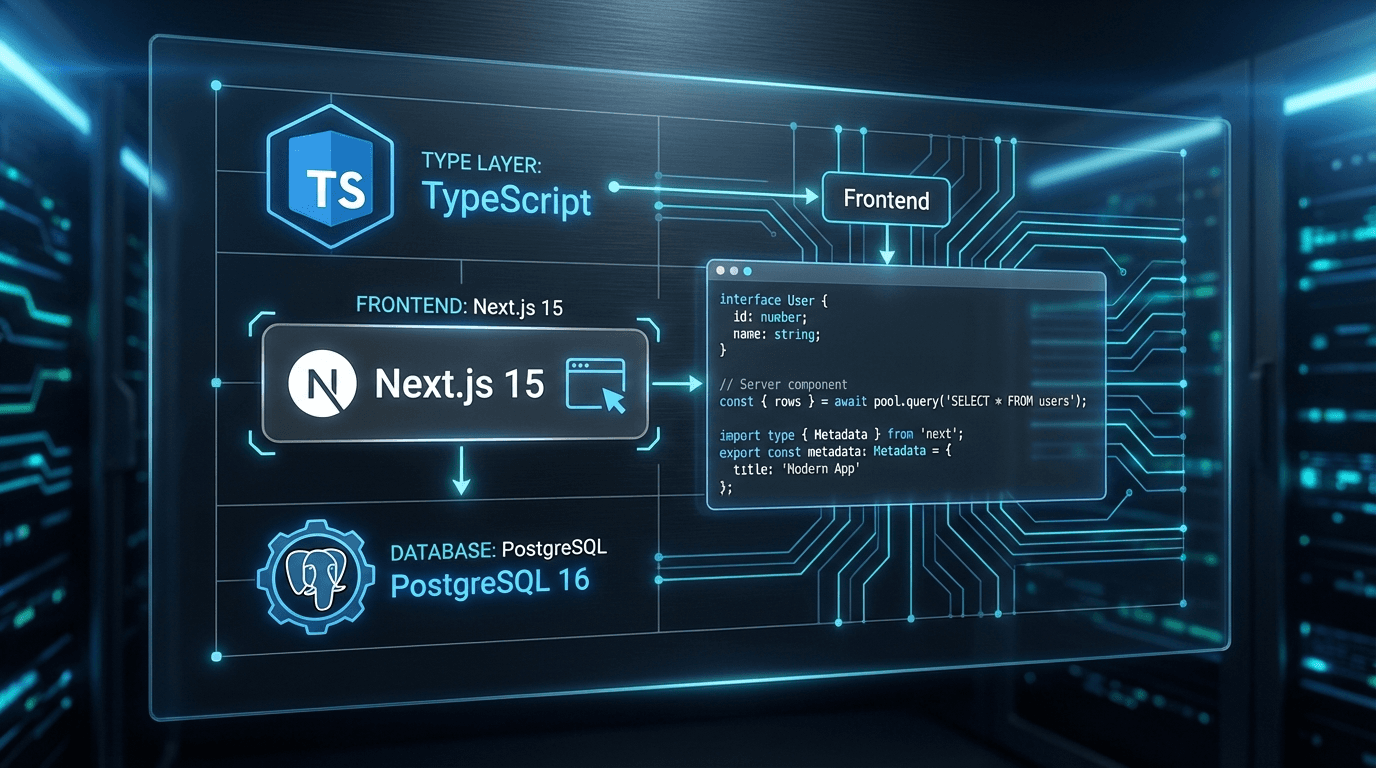
In 2025-2026, the tech stack debate has been settled. State of JS 2024, the Stack Overflow Developer Survey, and thousands of battle-tested startups all agree: Next.js + TypeScript + PostgreSQL is the dominant trio.
But knowing what isn't enough. This article explains why — from the technical perspective of a team that ships MVPs weekly, not from framework marketing.
1. Next.js 15: Dissolving the Frontend/Backend Boundary
App Router — The Real Revolution
Next.js 15 with App Router isn't just new routing. It's a completely different mental model: React Server Components (RSC) as the default.
In the old Pages Router, every component ran on the client. In App Router:
app/
├── layout.tsx          ← Server Component (HTML shell)
├── page.tsx            ← Server Component by default
├── dashboard/
│   ├── page.tsx        ← Server Component
│   └── ClientChart.tsx ← 'use client' only when interactivity needed
└── api/
    └── webhook/
        └── route.ts    ← API Route handler
Real-world RSC benefits:
import { db } from '@/lib/db'
export default async function DashboardPage() {
const stats = await db.query.metrics.findMany({
where: (m, { gte }) => gte(m.createdAt, new Date(Date.now() - 86400000)),
orderBy: (m, { desc }) => desc(m.value),
limit: 10,
})
return (
<div>
<h1>Dashboard</h1>
{stats.map(s => <MetricCard key={s.id} metric={s} />)}
</div>
)
}
Compared to Pages Router:
- No
getServerSideProps
- No
/api/metrics endpoint
- No
useState + useEffect to fetch data
- Smaller bundle size — database client never ships to the browser
Server Actions — The Real Game Changer
Server Actions fundamentally change how you write forms and mutations:
'use server'
import { db } from '@/lib/db'
import { revalidatePath } from 'next/cache'
import { redirect } from 'next/navigation'
import { z } from 'zod'
const CreateProjectSchema = z.object({
name: z.string().min(1).max(100),
description: z.string().optional(),
})
export async function createProject(formData: FormData) {
const validated = CreateProjectSchema.safeParse({
name: formData.get('name'),
description: formData.get('description'),
})
if (!validated.success) {
return { error: validated.error.flatten().fieldErrors }
}
const project = await db.insert(projects).values(validated.data).returning()
revalidatePath('/dashboard')
()
}
() {
(
)
}
Why Server Actions are revolutionary:
- No
fetch('/api/...') in components
- No separate API route handlers
- TypeScript types flow automatically from server to client
- Progressive enhancement: works even with JS disabled
- CSRF protection built-in
PPR — Partial Prerendering (Stable in Next.js 15)
PPR is a hybrid rendering model: static parts render instantly (0ms), dynamic parts stream in afterwards.
import { Suspense } from 'react'
export default async function ProductPage({ params }) {
return (
<div>
{/* Static: renders immediately, cached forever */}
<ProductHero productId={params.id} />
{/* Dynamic: streams in after data is ready */}
<Suspense fallback={<ReviewsSkeleton />}>
<ProductReviews productId={params.id} />
</Suspense>
<Suspense fallback={<PricingSkeleton />}>
<DynamicPricing productId={params.id} />
</Suspense>
</div>
)
}
Result: Users see product information instantly (from static cache) while reviews and pricing load dynamically. Exceptional perceived performance without compromising on dynamic data.
Turbopack — 5x Faster Dev Experience
Next.js 15 ships Turbopack stable (Rust-based bundler):
- Cold start: from 4-8s down to 0.7-1.2s
- HMR (Hot Module Replacement): from 200-500ms down to 20-50ms
- On codebases with 1000+ modules, the difference is felt immediately
2. TypeScript: Type-Safety Is Infrastructure, Not a Luxury
Why a 5-Person Team Needs TypeScript More Than a 1-Person Team
Common myth: "TypeScript is for big teams; startups don't need it."
Reality: Startups need TypeScript more because:
- No bandwidth to write comprehensive documentation
- Constant context switching — you forget your own code after 2 weeks
- Onboarding new developers without proper docs
- Refactoring without type safety is gambling
function processOrder(order) {
return order.items.reduce((sum, item) => sum + item.price * item.qty, 0)
}
interface OrderItem {
productId: string
name: string
price: number
qty: number
discount?: number
}
type OrderStatus = 'pending' | 'processing' | 'shipped' | 'delivered' | 'cancelled'
interface Order {
id: string
userId: string
items: OrderItem[]
status: OrderStatus
createdAt: Date
shippedAt?: Date
}
function processOrder(order: Order): number {
order..(
sum + item. * item. * ( - (item. ?? )),
)
}
Strict Mode — Not Optional
Production-ready tsconfig.json:
{
  "compilerOptions": {
    "target": "ES2022",
    "lib": ["dom", "dom.iterable", "ES2022"],
    "allowJs": true,
    "skipLibCheck": true,
    "strict": true,
    "noUncheckedIndexedAccess": true,
    "exactOptionalPropertyTypes": true,
    "noImplicitReturns": true,
    "noFallthroughCasesInSwitch": true,
    "forceConsistentCasingInFileNames": true,
    "noEmit": true,
    "esModuleInterop": true,
strict: true enables 6 checks simultaneously:
strictNullChecks: Can't use undefined without a null checkstrictFunctionTypes: Function parameter types must match strictlystrictBindCallApply: Type-check .bind(), .call(), .apply()noImplicitAny: TypeScript can't silently infer anystrictPropertyInitialization: Class properties must be initializednoImplicitThis: this must have an explicit type
Practical Utility Types for MVPs
type User = {
id: string
email: string
passwordHash: string
createdAt: Date
updatedAt: Date
}
type PublicUser = Omit<User, 'passwordHash'>
type CreateUserInput = Omit<User, 'id' | 'createdAt' | 'updatedAt'>
type UpdateUserInput = Partial<Omit<User, 'id' | 'createdAt'>>
type ApiResponse<T> =
| { success: true; data: T }
| { success: false; error: string; code: number }
Zod + TypeScript: One Schema, Two Benefits
import { z } from 'zod'
const CreateProjectSchema = z.object({
name: z.string().min(1, 'Name is required').max(100),
description: z.string().max(500).optional(),
budget: z.number().min(0).max(1_000_000_000),
deadline: z.string().datetime().optional(),
tags: z.array(z.string()).max(10).default([]),
})
type CreateProjectInput = z.infer<typeof CreateProjectSchema>
export async function createProject(input: CreateProjectInput) {
}
3. PostgreSQL: Unmatched After 35 Years — And Getting Stronger
Why Not MongoDB, DynamoDB, or PlanetScale?
After migrating multiple projects, here's the honest comparison:
| Criteria | PostgreSQL | MongoDB | DynamoDB |
|---|
| ACID transactions | Full | Partial (single doc) | Limited |
| Relational queries | Native JOIN | Aggregation pipeline (verbose) | Scan heavy |
| JSON support | JSONB (indexed) | Native | AttributeValue |
| Full-text search | Built-in | Atlas Search ($$) | OpenSearch needed |
| Vector similarity | pgvector | Atlas Vector Search ($$) | External needed |
| Schema flexibility | JSONB columns | Schemaless | Schemaless |
| Query language | SQL (universal) | MQL (proprietary) | PartiQL (limited) |
| Serverless options | Neon, Supabase | Atlas Serverless | Native |
| Cost at scale | Linear | Expensive at scale | Expensive at scale |
PostgreSQL wins on almost every dimension that matters for a startup that needs complex queries in the future.
JSONB — As Flexible as NoSQL, as Powerful as Relational
CREATE TABLE users (
id UUID PRIMARY KEY DEFAULT gen_random_uuid(),
email TEXT UNIQUE NOT NULL,
metadata JSONB DEFAULT '{}',
created_at TIMESTAMPTZ DEFAULT NOW()
);
CREATE INDEX idx_users_metadata ON users USING GIN (metadata);
INSERT INTO users (email, metadata) VALUES (
'[email protected]',
'{"plan": "pro", "features": ["ai", "analytics"], "company": {"name": "ACME", "size": 50}}'
);
SELECT * FROM users
WHERE metadata->>'plan' = 'pro'
AND metadata->'company'->>'size' > '20';
UPDATE users
SET metadata = jsonb_set(metadata, '{company,size}', '100')
WHERE id = 'some-uuid';
SELECT * FROM users
WHERE metadata->'features' ? 'ai';
JSONB lets you ship fast (no schema migrations every time requirements change) while retaining relational joins and ACID guarantees.
pgvector — PostgreSQL Becomes a Vector Database
CREATE EXTENSION IF NOT EXISTS vector;
CREATE TABLE documents (
id UUID PRIMARY KEY DEFAULT gen_random_uuid(),
content TEXT NOT NULL,
embedding VECTOR(1536),
metadata JSONB DEFAULT '{}',
created_at TIMESTAMPTZ DEFAULT NOW()
);
CREATE INDEX ON documents USING hnsw (embedding vector_cosine_ops)
WITH (m = 16, ef_construction = 64);
SELECT
content,
metadata,
1 - (embedding <=> $1::vector) AS similarity
FROM documents
WHERE 1 - (embedding <=> $1::vector) > 0.7
ORDER BY embedding <=> $1::vector
LIMIT 5;
The implication: you don't need Pinecone, Weaviate, or Qdrant. PostgreSQL + pgvector handles most RAG use cases for startups — one less service to manage, one less bill to pay.
Window Functions and CTEs — Power Analytics
SELECT
DATE_TRUNC('day', created_at) AS day,
SUM(amount) AS daily_revenue,
SUM(SUM(amount)) OVER (ORDER BY DATE_TRUNC('day', created_at)) AS cumulative_revenue
FROM payments
WHERE status = 'completed'
GROUP BY 1
ORDER BY 1;
WITH monthly_activity AS (
SELECT
user_id,
DATE_TRUNC('month', created_at) AS month,
COUNT(*) AS action_count
FROM user_events
GROUP BY 1, 2
),
ranked AS (
SELECT *,
RANK() OVER (PARTITION BY month ORDER BY action_count DESC) AS rank
FROM monthly_activity
)
SELECT * FROM ranked WHERE rank <= 10;
4. ORM Battle: Drizzle vs Prisma — Drizzle Wins Clearly
Prisma: Familiar but With Real Trade-offs
Prisma is the most popular ORM for Node.js. But there are real-world problems:
Separate schema language (not TypeScript):
// schema.prisma — its own language, not TypeScript
model User {
  id        String   @id @default(cuid())
  email     String   @unique
  posts     Post[]
  createdAt DateTime @default(now())
}
Prisma's actual problems:
- Prisma Client generates code into
/node_modules — slow cold starts (critical for serverless/edge)
n+1 problem if include isn't used correctly- Large bundle size (~4MB unpacked)
- Edge Runtime support is limited
- Separate schema language = an extra "language" to learn
Drizzle: TypeScript First, SQL Second
import { pgTable, uuid, text, timestamp, jsonb, vector } from 'drizzle-orm/pg-core'
export const users = pgTable('users', {
id: uuid('id').primaryKey().defaultRandom(),
email: text('email').unique().notNull(),
metadata: jsonb('metadata').$type<{
plan: 'free' | 'pro' | 'enterprise'
features: string[]
}>().default({}),
createdAt: timestamp('created_at').defaultNow().notNull(),
})
export const documents = pgTable('documents', {
id: uuid('id').primaryKey().defaultRandom(),
content: text('content').notNull(),
embedding: vector('embedding', { dimensions: 1536 }),
userId: uuid('user_id').references(() => users., { : }),
: ().().(),
})
= users.
= users.
Drizzle queries — type-safe and close to SQL:
import { db } from '@/lib/db'
import { users, documents } from '@/lib/schema'
import { eq, and, sql } from 'drizzle-orm'
const user = await db.query.users.findFirst({
where: eq(users.email, '[email protected]'),
})
const userWithDocs = await db
.select({
id: users.id,
email: users.email,
docCount: sql<number>`count(${documents.id})::int`,
})
.from(users)
.leftJoin(documents, eq(users.id, documents.userId))
.where(eq(users.id, userId))
.groupBy(users.id, users.email)
const similarDocs = await db
.select()
.from(documents)
.where(
and(
eq(documents.userId, userId),
sql`1 - (${documents.embedding} <=> ${embedding}::vector) > 0.7`
)
)
.(sql)
.()
Drizzle vs Prisma comparison:
| Criteria | Drizzle | Prisma |
|---|
| Bundle size | ~100KB | ~4MB |
| Cold start (serverless) | 20-50ms | 200-500ms |
| Edge Runtime | Full support | Limited |
| Type safety | SQL-level inference | Schema-level |
| Raw SQL escape hatch | sql tagged template | $queryRaw |
| Migrations | Auto-generated TypeScript | Auto-generated SQL |
| Schema language | TypeScript | Prisma DSL |
| Mode | Both ORM and Query Builder | ORM primarily |
| pgvector support | Native | Extension needed |
Verdict: For Next.js 15 + Vercel Edge Functions + pgvector use cases, Drizzle is the clear choice.
Database Connection with Neon Serverless
import { neon } from '@neondatabase/serverless'
import { drizzle } from 'drizzle-orm/neon-http'
import * as schema from './schema'
const sql = neon(process.env.DATABASE_URL!)
export const db = drizzle(sql, { schema })
import { Pool } from '@neondatabase/serverless'
import { drizzle } from 'drizzle-orm/neon-serverless'
const pool = new Pool({ connectionString: process.env.DATABASE_URL })
export const dbPool = drizzle(pool, { schema })
5. shadcn/ui + Tailwind CSS v4 — The Perfect UI Layer
shadcn/ui: The Copy Philosophy
shadcn/ui isn't a component library in the traditional sense. Instead of npm install shadcn-ui and getting a black box, you copy source code directly into your project:
npx shadcn@latest init
npx shadcn@latest add button card dialog form input table
Result: Component code lives in components/ui/ — fully owned by you:
components/
├── ui/
│   ├── button.tsx      ← Source code you own
│   ├── card.tsx
│   ├── dialog.tsx
│   ├── form.tsx
│   └── table.tsx
└── features/
    ├── ProjectCard.tsx  ← Composed from ui components
    └── UserAvatar.tsx
Why this philosophy wins:
- Not locked into library update cycles
- Can modify any component for business requirements
- TypeScript types are clear because you read the source
- Bundle only includes components you actually use
- Radix UI primitives underneath = accessibility built-in
Tailwind CSS v4 — Key Changes
Tailwind v4 (2025) changes significantly from v3:
@import "tailwindcss";
@theme {
--color-primary: oklch(0.6 0.2 250);
--color-primary-foreground: oklch(0.98 0 0);
--font-sans: "Inter Variable", sans-serif;
--font-mono: "JetBrains Mono", monospace;
--radius-sm: 0.375rem;
--radius-md: 0.5rem;
--radius-lg: 0.75rem;
}
@utility flex-center {
display: flex;
align-items: center;
justify-content: center;
}
v4 changes you need to know:
- Config moves to CSS
@theme — no more tailwind.config.ts
- CSS variables replace hardcoded values — easier dark mode
@utility directive for custom utilities- Vite plugin replaces PostCSS for better performance
- Native
oklch() color space support
6. Auth: Supabase Auth vs Auth.js — Choose by Use Case
Supabase Auth — Simple, Integrated, Sufficient
When to choose Supabase Auth:
- Already using Supabase for the database (zero friction)
- Need email/password + social logins fast
- Want Row Level Security (RLS) integrated with auth
- Small team, no DevOps capacity
import { createServerClient } from '@supabase/ssr'
import { cookies } from 'next/headers'
export async function createClient() {
const cookieStore = await cookies()
return createServerClient(
process.env.NEXT_PUBLIC_SUPABASE_URL!,
process.env.NEXT_PUBLIC_SUPABASE_ANON_KEY!,
{
cookies: {
getAll: () => cookieStore.getAll(),
setAll: (cookiesToSet) => {
cookiesToSet.forEach(({ name, value, options }) =>
cookieStore.set(name, value, options)
)
},
},
}
)
}
'use server'
export async function login(formData: FormData) {
const supabase = await createClient()
const { error } = await supabase.auth.signInWithPassword({
email: formData.get('email') as string,
password: formData.get() ,
})
(error) { : error. }
()
}
Auth.js (NextAuth v5) — When You Need More Control
When to choose Auth.js:
- Need complex custom session logic
- Need to integrate with an existing user database
- Need Enterprise SSO (SAML, LDAP)
- Don't want vendor lock-in to Supabase
import NextAuth from 'next-auth'
import { DrizzleAdapter } from '@auth/drizzle-adapter'
import Google from 'next-auth/providers/google'
import GitHub from 'next-auth/providers/github'
import Credentials from 'next-auth/providers/credentials'
import { db } from '@/lib/db'
export const { handlers, signIn, signOut, auth } = NextAuth({
adapter: DrizzleAdapter(db),
providers: [
Google,
GitHub,
Credentials({
async authorize(credentials) {
const user = await db.query.users.findFirst({
where: eq(users.email, credentials.email as string)
})
if (!user) return null
const valid = await bcrypt.compare(
credentials.password as string,
user.passwordHash
)
valid ? user :
}
})
],
: {
() {
session.. = user.
session
}
},
})
Side-by-side comparison:
| Criteria | Supabase Auth | Auth.js v5 |
|---|
| Setup time | 15 minutes | 45-60 minutes |
| Social providers | 20+ | 80+ |
| Magic link | Built-in | Plugin needed |
| MFA / TOTP | Built-in | Manual |
| Custom session | Limited | Full control |
| Database agnostic | No (Supabase) | Yes |
| RLS integration | Native | Manual |
| Enterprise SSO | Dashboard config | Custom provider |
| Self-hosted | Supabase self-host | Yes (any DB) |
7. Production-Ready Boilerplate — Real Configuration
Project Structure
├── app/
│   ├── (auth)/
│   │   ├── login/
│   │   │   ├── page.tsx
│   │   │   └── actions.ts
│   │   └── register/
│   ├── (dashboard)/
│   │   ├── layout.tsx     ← Protected layout
│   │   ├── page.tsx
│   │   └── settings/
│   ├── api/
│   │   ├── webhooks/
│   │   │   └── stripe/route.ts
│   │   └── ai/
│   │       └── chat/route.ts
│   ├── globals.css
│   ├── layout.tsx         ← Root layout
│   └── page.tsx           ← Landing page
├── components/
│   ├── ui/                ← shadcn/ui components
│   └── features/          ← Business logic components
├── lib/
│   ├── db.ts              ← Drizzle client
│   ├── schema.ts          ← Database schema
│   ├── auth.ts            ← Auth config
│   └── utils.ts           ← cn(), formatDate(), etc.
├── middleware.ts           ← Auth protection
├── drizzle.config.ts
├── next.config.ts
└── tailwind.css
Essential Environment Variables
DATABASE_URL="postgresql://..."
NEXT_PUBLIC_SUPABASE_URL="https://xxx.supabase.co"
NEXT_PUBLIC_SUPABASE_ANON_KEY="eyJ..."
SUPABASE_SERVICE_ROLE_KEY="eyJ..."
STRIPE_SECRET_KEY="sk_test_..."
STRIPE_WEBHOOK_SECRET="whsec_..."
NEXT_PUBLIC_STRIPE_PUBLISHABLE_KEY="pk_test_..."
RESEND_API_KEY="re_..."
FROM_EMAIL="[email protected]"
OPENAI_API_KEY="sk-..."
ANTHROPIC_API_KEY="sk-ant-..."
NEXT_PUBLIC_APP_URL="http://localhost:3000"
Drizzle Migrations Workflow
npx drizzle-kit generate
npx drizzle-kit migrate
npx drizzle-kit studio
8. AI-Ready Architecture: RAG Pipelines and AI Agents
Complete RAG Pipeline with pgvector
import { openai } from '@ai-sdk/openai'
import { embed, generateText } from 'ai'
import { db } from './db'
import { documents } from './schema'
import { sql, and, eq } from 'drizzle-orm'
export async function ingestDocument(
content: string,
metadata: Record<string, unknown>,
userId: string
) {
const { embedding } = await embed({
model: openai.embedding('text-embedding-3-small'),
value: content,
})
await db.insert(documents).values({ content, embedding, metadata, userId })
}
export async function semanticSearch(query: string, userId: string, limit = 5) {
const { embedding: queryEmbedding } = await embed({
model: openai.embedding('text-embedding-3-small'),
: query,
})
db
.({
: documents.,
: documents.,
: sql<>,
})
.(documents)
.(
(
(documents., userId),
sql
)
)
.(sql)
.(limit)
}
() {
relevantDocs = (question, userId)
context = relevantDocs.( d.).()
{ text } = ({
: (),
: ,
: [
{ : , : }
]
})
{ : text, : relevantDocs }
}
import { openai } from '@ai-sdk/openai'
import { streamText, tool } from 'ai'
import { z } from 'zod'
export async function POST(req: Request) {
const { messages, userId } = await req.json()
const result = streamText({
model: openai('gpt-4o'),
messages,
tools: {
searchDocuments: tool({
description: 'Search user documents using semantic similarity',
parameters: z.object({ query: z.string() }),
execute: async ({ query }) => semanticSearch(query, userId),
}),
createTask: tool({
description: 'Create a new task for the user',
parameters: z.object({
title: z.string(),
description: z.string().optional(),
dueDate: z.string().optional(),
}),
execute: async (input) => {
return db.insert(tasks).({ ...input, userId }).()
},
}),
: ({
: ,
: z.({
: z.([, , ]),
}),
: ({ period }) => {
},
}),
},
: ,
})
result.()
}
Streaming Chat UI
'use client'
import { useChat } from 'ai/react'
export default function ChatPage() {
const { messages, input, handleInputChange, handleSubmit, isLoading } = useChat({
api: '/api/ai/agent',
})
return (
<div className="flex flex-col h-screen max-w-2xl mx-auto p-4">
<div className="flex-1 overflow-y-auto space-y-4">
{messages.map(message => (
<div
key={message.id}
className={`p-3 rounded-lg ${
message.role === 'user'
? 'bg-primary text-primary-foreground ml-8'
: 'bg-muted mr-8'
}`}
>
{message.content}
</div>
))}
</div>
<form onSubmit={handleSubmit} className="mt-4 flex gap-2">
<input
value={input}
onChange={handleInputChange}
placeholder="Ask your AI assistant..."
className=
/>
Send
)
}
9. Production Checklist — Before You Go Live
import type { NextConfig } from 'next'
const nextConfig: NextConfig = {
images: {
formats: ['image/avif', 'image/webp'],
remotePatterns: [
{ protocol: 'https', hostname: 'cdn.yourdomain.com' },
],
},
async headers() {
return [
{
source: '/(.*)',
headers: [
{ key: 'X-Frame-Options', value: 'DENY' },
{ key: 'X-Content-Type-Options', value: 'nosniff' },
{ key: 'Referrer-Policy', value: 'strict-origin-when-cross-origin' },
],
},
]
},
}
export default nextConfig
Pre-launch checklist:
Conclusion: Why This Stack Still Wins in 2026
There's no perfect stack. But there is a stack that is good enough for most use cases, with the largest ecosystem, the easiest-to-hire talent pool, and the best documentation.
Next.js + TypeScript + PostgreSQL checks all three boxes — and with pgvector, Vercel AI SDK, and Drizzle added, it becomes an AI-native stack without any additional external services.
For startups that need to move fast:
- Next.js 15 eliminates the frontend/backend boundary
- TypeScript turns your codebase into self-writing documentation
- PostgreSQL + pgvector is the only database you need for both OLTP and AI workloads
- Drizzle maintains type safety from the database all the way to the UI
- shadcn/ui ships production UI in hours, not days
This isn't the stack of 2020 or 2022. This is the stack of 2026 and the years ahead — designed for an AI-first, edge-first, developer-experience-first world.
Want to ship your MVP with this stack in 7 days? See Autonow's MVP service or read more about the real cost of building an MVP.